
Domains, paths,
subdomains.
With the LAY7 cloud routing layer, you precisely manage how requests are distributed. Which domain, which path, which subdomain — all through an intuitive UI, with free Let's Encrypt certificates included.
Versatile
use cases.
With flexible routing, you consolidate various systems, applications and content under a clearly structured domain logic. Direct any number of domains to a central WordPress Multisite, combine static pages, container-based APIs and external landing pages in a hybrid setup, or structure your infrastructure with versioned routes.
White-label scenarios can also be easily represented: use subdomains for tenants or customer portals and route them specifically to separate deployments. Routing is done dynamically, reliably and centrally via the platform — without adjustments to individual services.
Whether agency, platform provider or enterprise team: the LAY7 cloud provides you with the necessary flexibility to design complex projects clearly, scalably and future-proof.
WordPress Multisite
Route any number of domains to a central WordPress Multisite — ideal for agencies, franchises or portals.
Hybrid projects
Static pages, REST APIs and external landing pages seamlessly under a common domain structure.
Versioned deployments
Route /v1 to an old release and /v2 to an updated backend — perfect for API infrastructure.
White-label solutions
Subdomains for different customer dashboards or tenants, routed specifically to dedicated deployments.
Clear setup,
instantly active.
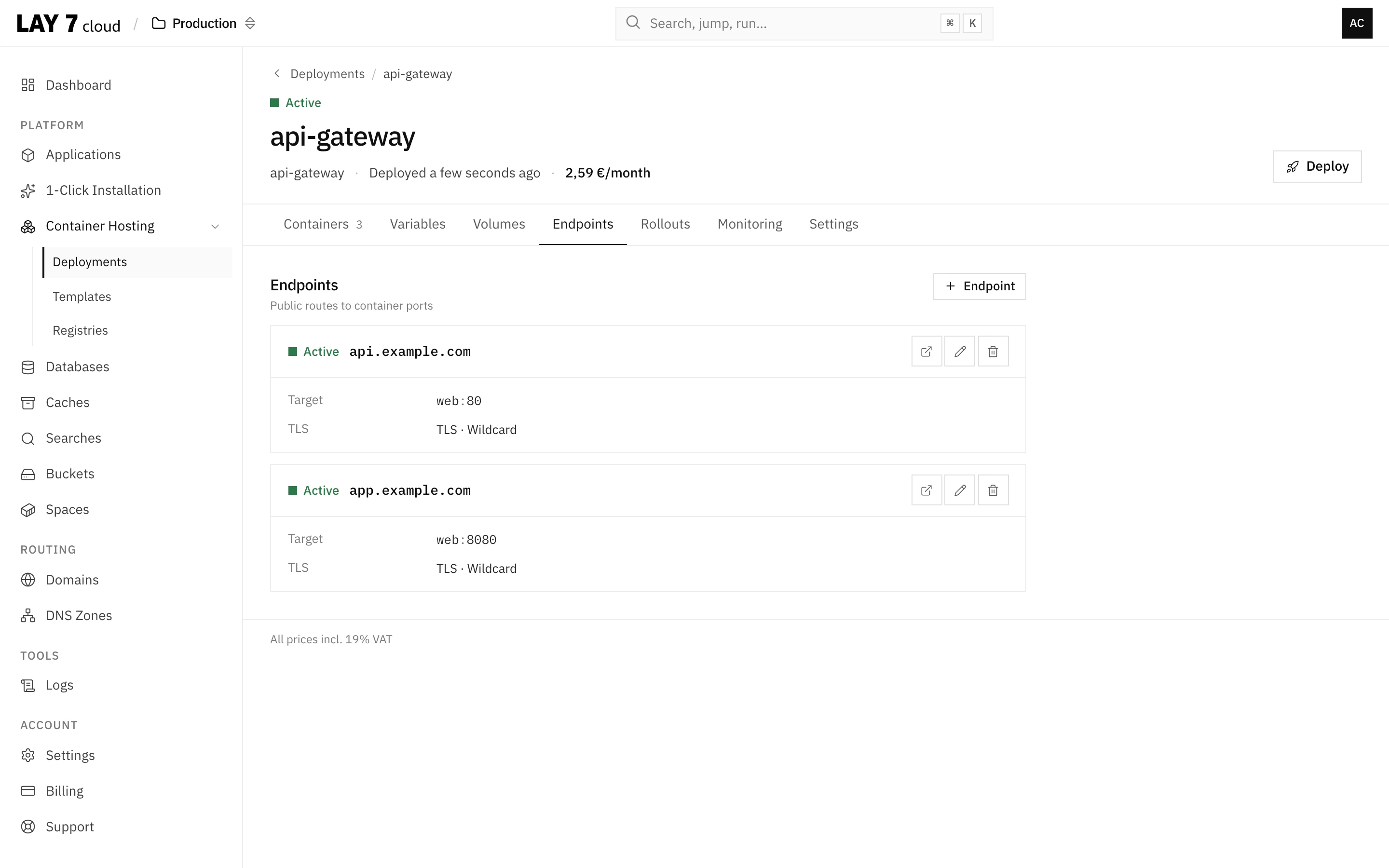
Setting up a route is incredibly simple. You select a connected domain and optionally a path or a subdomain. Then you determine where this route should lead: to one of your Spaces, a Container Deployment, or to an external URL.
The actual complexity of routing remains entirely in the background — you concentrate only on the assignment of routes. Your changes take effect immediately, without manual adjustments or waiting times.
You keep full control over your setup — without having to deal with the details of the technical infrastructure.
Grows with
your requirements.
Whether you run a small company website with just one domain or an extensive portal with dozens of domains and subdomains, the LAY7 cloud Routes grow seamlessly with your setup.
Even with growing requirements, your routes remain clear and easy to maintain. You can add new routes at any time or adjust existing ones with just a few clicks — all changes take effect immediately.
Thanks to this flexibility, the LAY7 cloud is ideal as a hosting platform for agencies, SaaS providers or larger content management systems, where individualized domain management and routing are part of daily tasks.
-
Running a WordPress Multisite installation and want to direct multiple domains or subdomains to different subsites? With Routes, each domain can point individually to the shared webspace — the differentiation happens within WordPress.
-
Your website is at example.com, your API should be at api.example.com? No problem. Route api.example.com to a Container Deployment and serve cleanly separated applications.
-
You have special domains for promotions or marketing campaigns? With Routes, you simply redirect them to the matching landing page, regardless of whether it lives in a Space, is served by a Container — or whether it's an external page.
-
You've restructured parts of your project? Simply redirect individual paths of old URLs to new targets via a Redirect Route — without additional effort in your application.
-
You run your website in multiple languages and want each language to be accessible via its own domain? With Routes, you connect each language domain to the appropriate part of your application.
Where your routes lead
Routes connect domains with the rest of your infrastructure — Spaces, Containers and managed databases.
Distribute traffic
intelligently.
Connect domains, subdomains and paths to your Spaces and Containers. SSL certificates automatically included.
- Let's Encrypt SSL included
- Changes instantly active
- Unlimited routes